Annex B (informative) — Model Drawing Philosophy
B.1 Introduction
Several drawing formats used in this standard.
This annex discusses:
- Model representation (Entity-Relationship Diagrams)
- Step and transition for State-Based Control
- Step and transition for Sequence-Based Control
Purpose:
- Consistent notation
- Clear communication
- Standard symbols
- Reduced ambiguity
B.2 Model Representation
Model drawings based on:
Entity-Relationship Diagram (ERD)
Modeling formats discussed provide:
Non-rigorous method of portraying:
- Information
- Relationships
- Structure
- Connections
Important notes:
Not intended to:
- Recommend analysis methodology
- Imply specific approach
- Have figures supersede text
Figures support text - text is authoritative!
B.3 Basic Symbols
The following symbols are used:
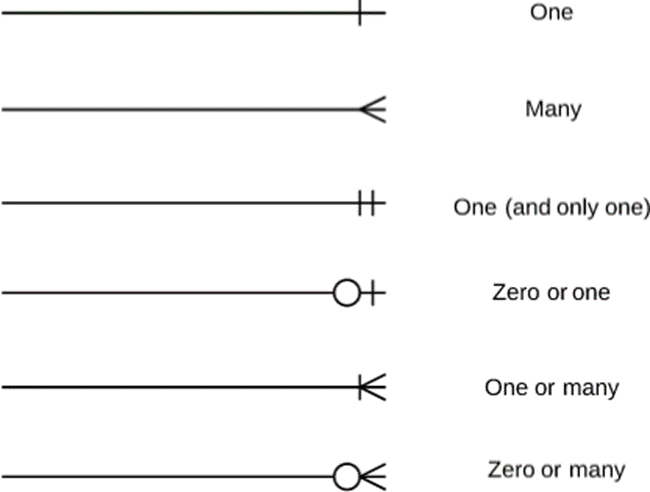
Figure B.1 – Basic Symbols
Symbol meanings:
Rectangle:
Entity or model
Diamond:
Relationship
Lines:
Connections
Symbols at line ends:
Cardinality (how many)
These symbols demonstrated in following sections.
B.4 Relationship Examples
B.4.1 One to One
The following figure represents one to one relationship:
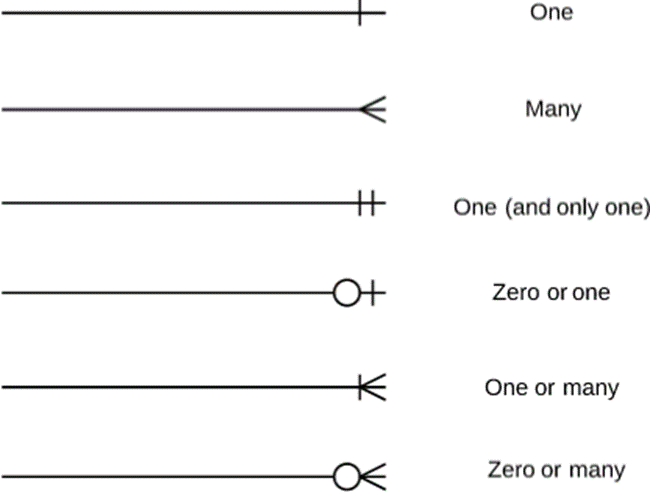
Figure B.2 – One-to-One Relationship
What this means:
- One entity on left
- Related to exactly one entity on right
- 1:1 relationship
Example:
One Physical Model ↔︎ One Procedure Specification Model
B.4.2 Zero or One Occurrence
The following figure represents zero or one occurrence:
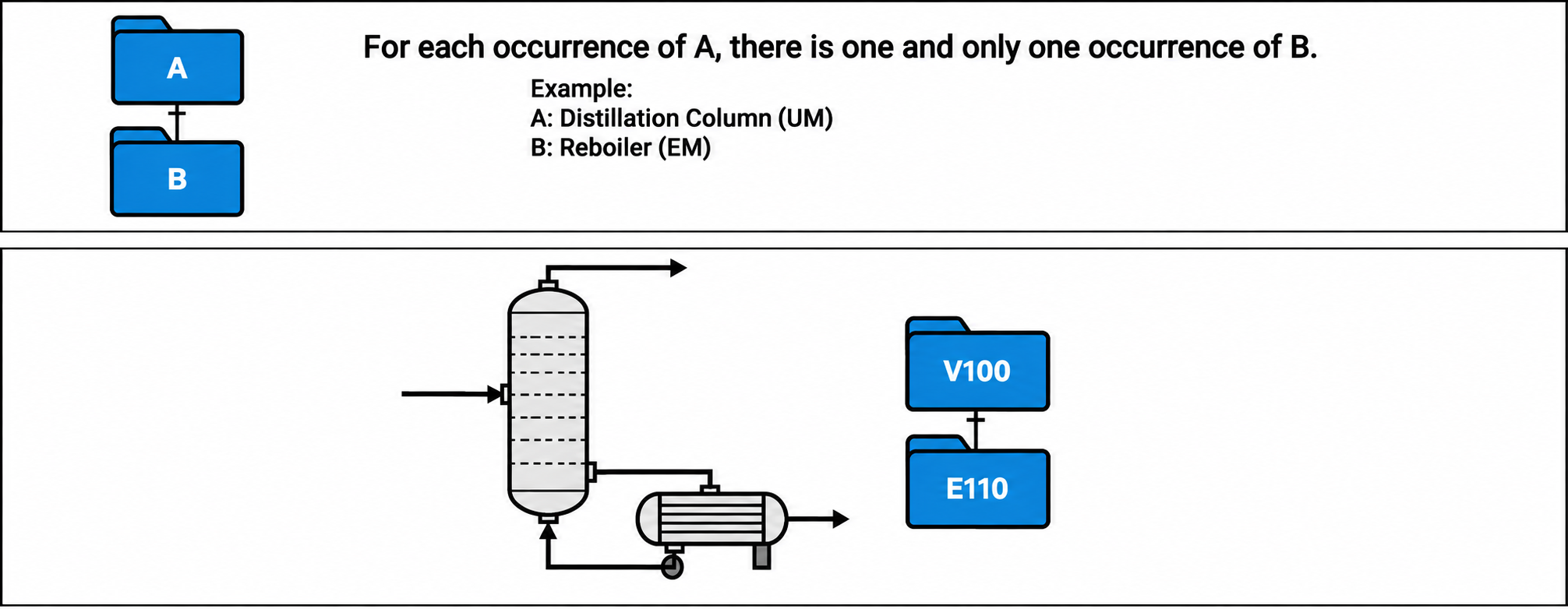
Figure B.3 – Zero or One Occurrence
What this means:
- Entity on left
- May have zero OR one related entity on right
- Optional relationship
Example:
Procedure may have zero or one detailed design specification (optional documentation).
B.4.3 One or More Occurrences
The following figure represents one or more occurrences:
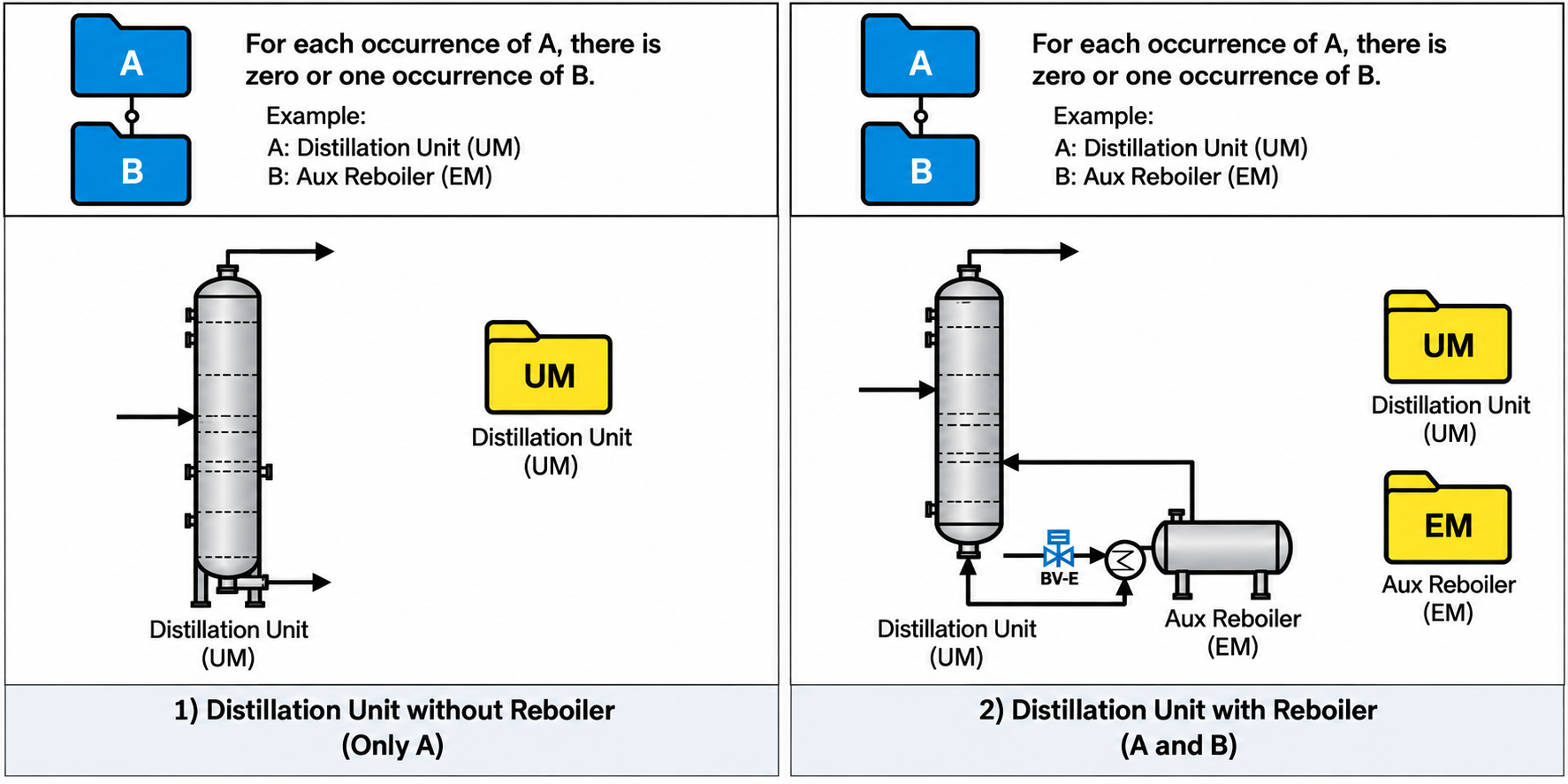
Figure B.4 – One or More Occurrences
What this means:
- Entity on left
- Must have at least one related entity on right
- Could have more than one
- Required relationship with multiple possible
Example:
Automated Procedure must have one or more steps.
B.4.4 Zero, One or More Occurrences
The following figure represents zero, one or more occurrences:
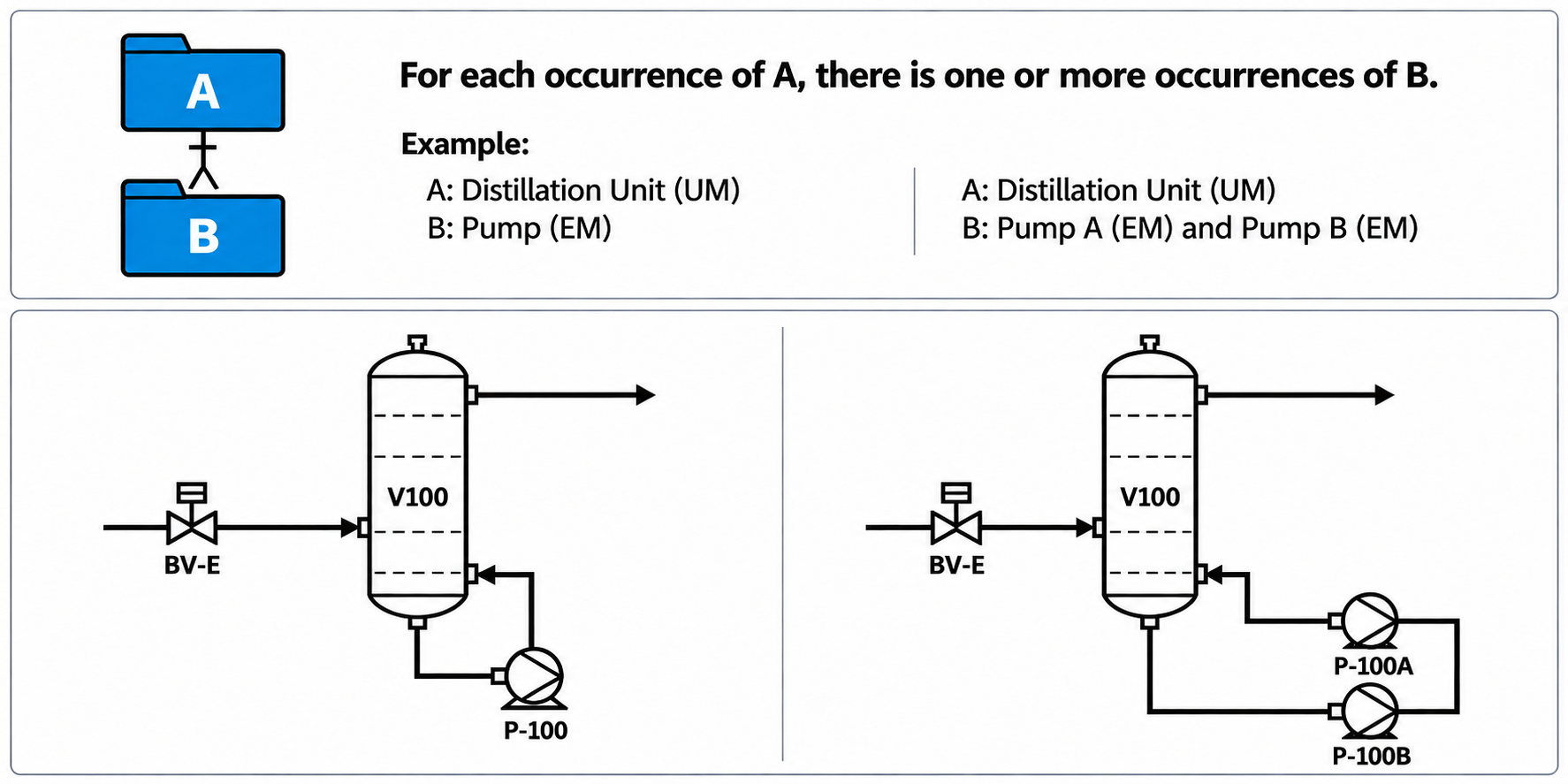
Figure B.5 – Zero, One or More Occurrences
What this means:
- Entity on left
- May have zero, one, or many related entities on right
- Completely optional
- If present, can be multiple
Example:
Procedure may have zero, one, or many operator prompts (completely flexible).
B.4.5 One to Many
The following figure represents one to many occurrence of same module:
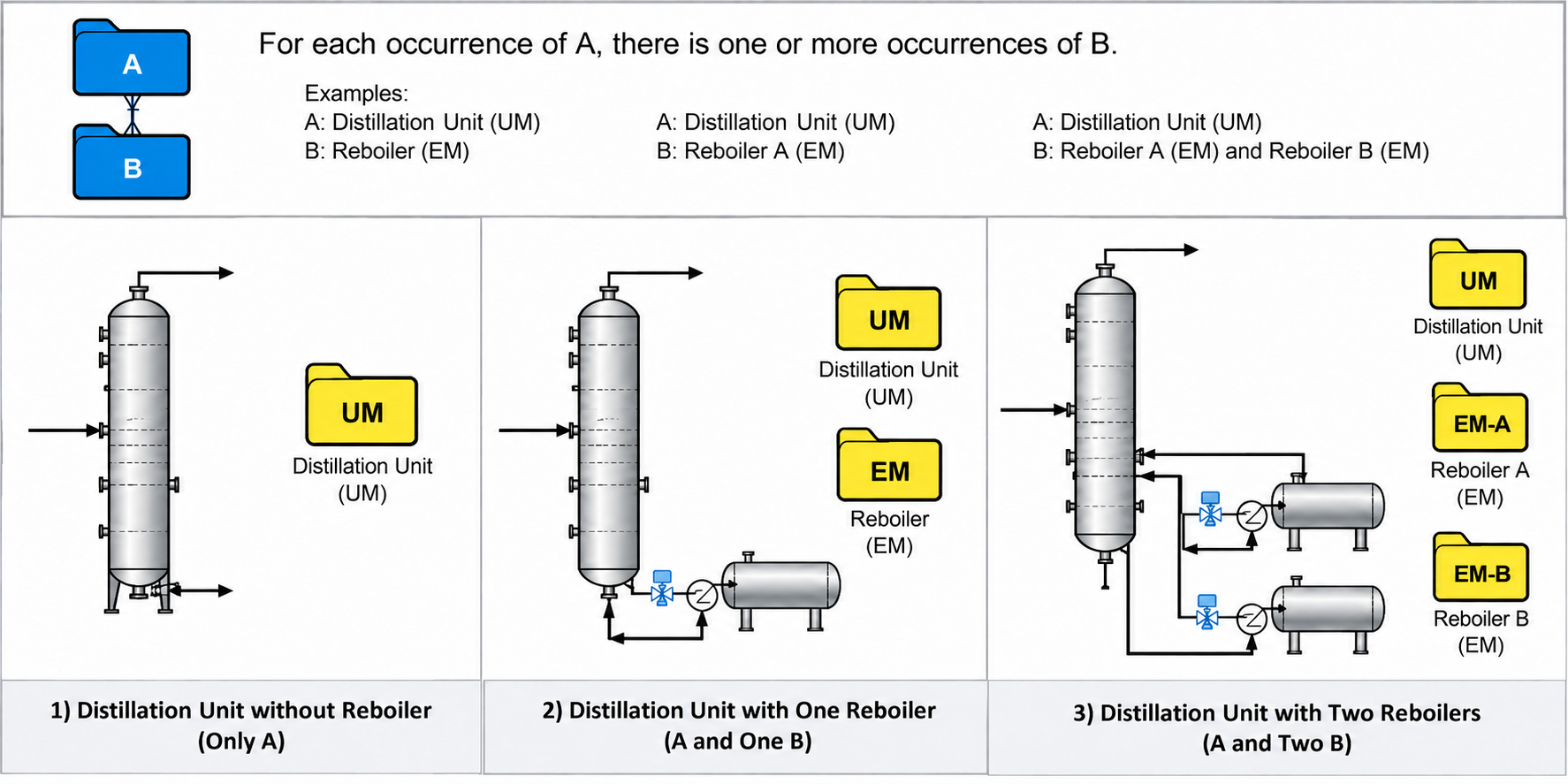
Figure B.6 – One-to-Many Occurrence of the Same Module
What this means:
- One entity at top
- Related to many entities below
- Parent-child relationship
- Hierarchical structure
Example:
One Unit Procedure contains many Equipment Procedures.
B.5 Model Types
Models shown as rectangles in all drawings.
Three types with different shapes:
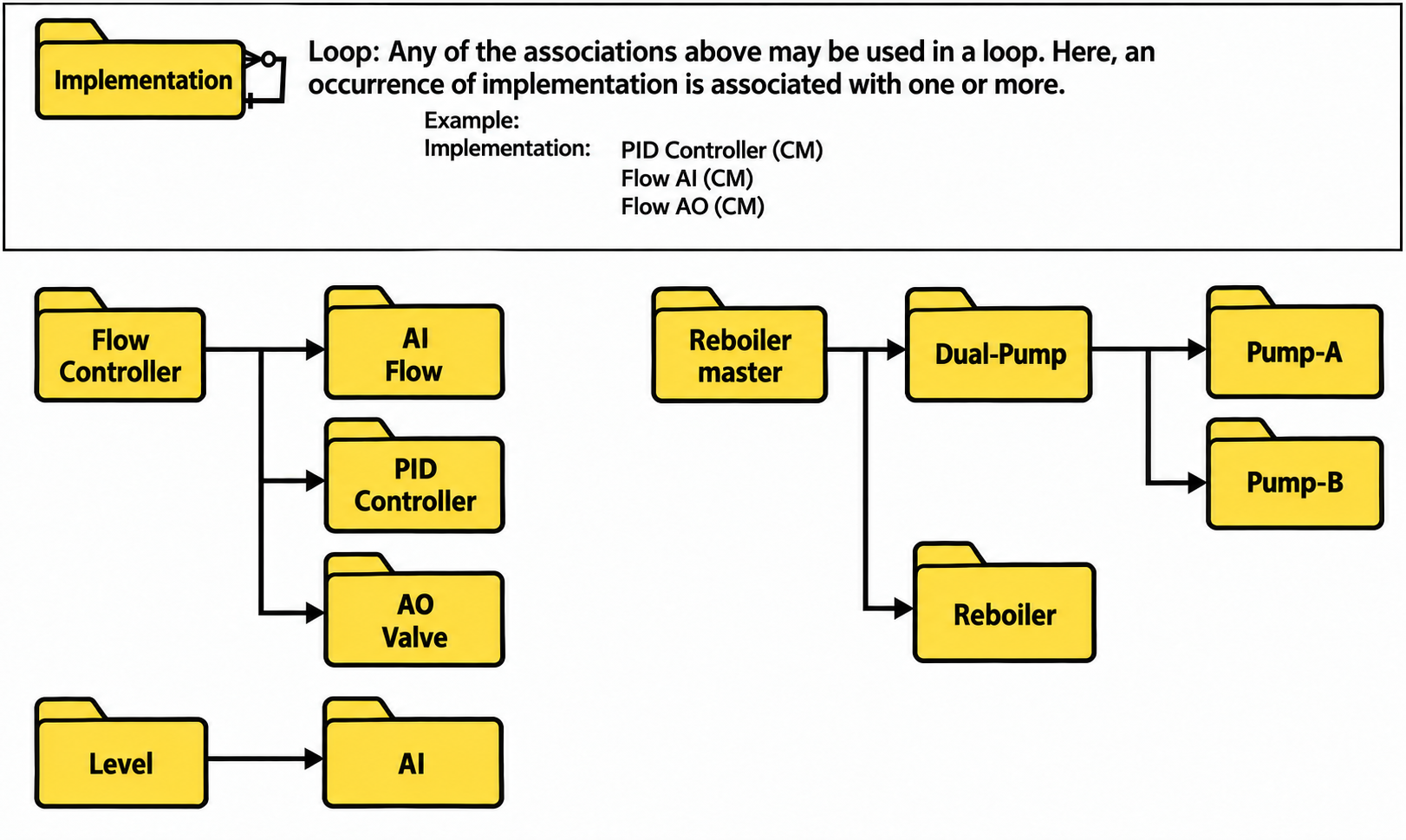
Figure B.7 – Model Types and Their Shapes
Physical Model:
- Rectangle (standard)
- Represents physical equipment hierarchy
- Devices, equipment, units, areas, plants
Specification Model:
- Rectangle with one corner cut
- Represents functional specifications
- Platform-independent
- Requirements and design intent
Implementation Model:
- Round corner rectangle
- Represents actual implementation
- Platform-dependent
- Coded modules
Different shapes = instant visual identification of model type!
B.6 Step and Transition for State-Based Control
The step and transition diagram for state-based control consists of:
B.6.1 Components
Step:
Shown as solid rectangle shape with step name inside.
Transition:
Shown in different formats:
- Line connecting two steps (simple)
- Lines and transition symbols (thick line) connecting two steps
- Lines and round rectangle connecting two steps
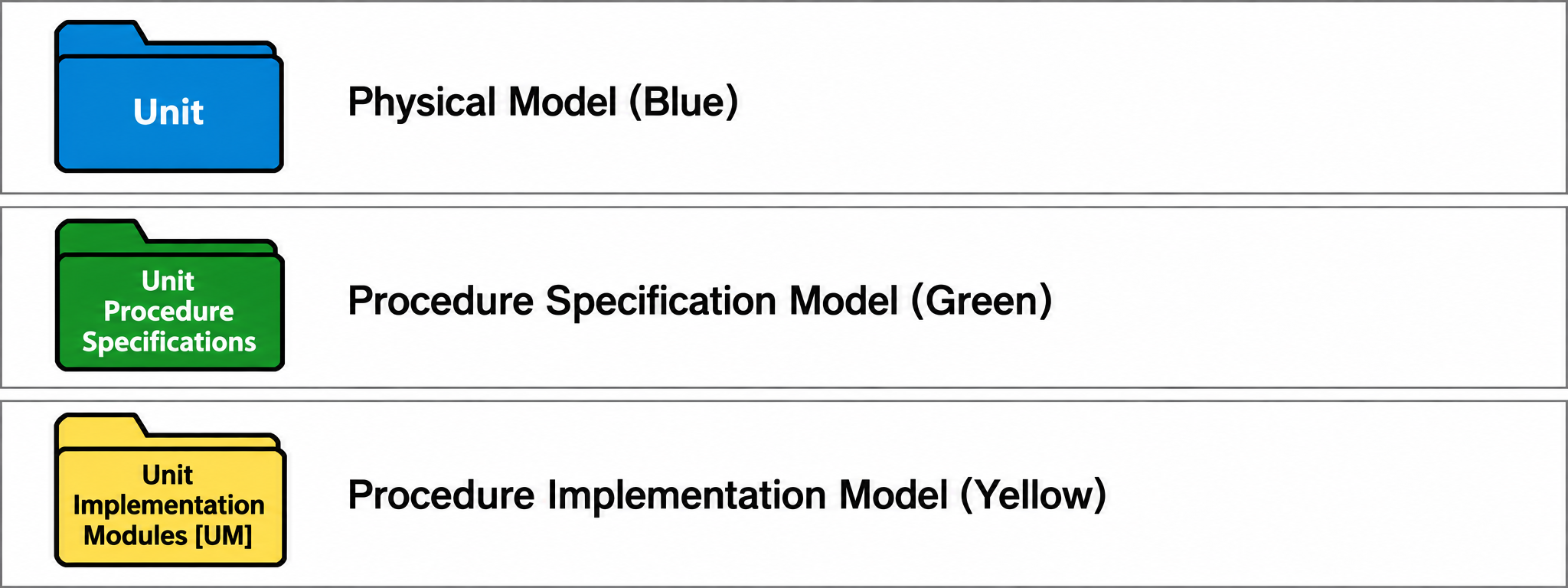
Figure B.8 – Step and Transition Components
Step = what procedure is doing
Transition = condition to move to next step
B.6.2 Transition Modes
The transition can be shown in three different modes:
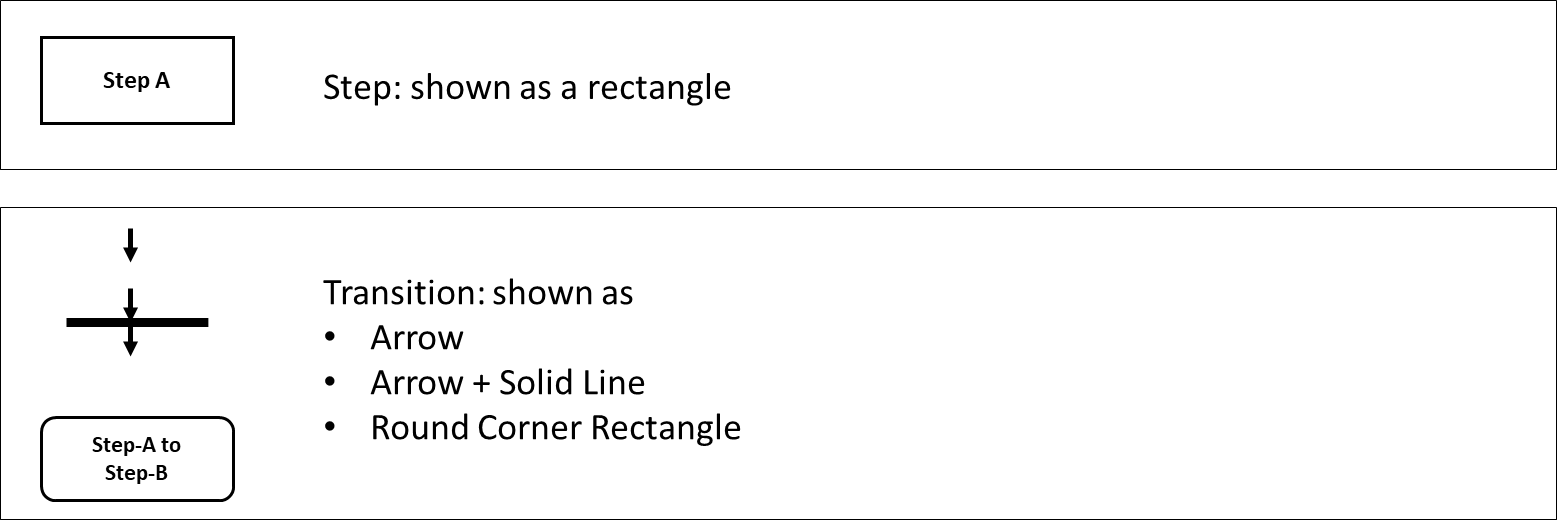
Figure B.9 – Transition Modes
Automatic:
- Solid line
- Transition happens automatically
- No operator action needed
Manual:
- Dotted line
- Requires operator action
- Operator initiates transition
Automatic/Manual:
- Solid line with character “M”
- Can happen either way
- Operator can choose
Mode indicates level of operator involvement!
B.6.3 Mode Examples
The following figure demonstrates different modes:
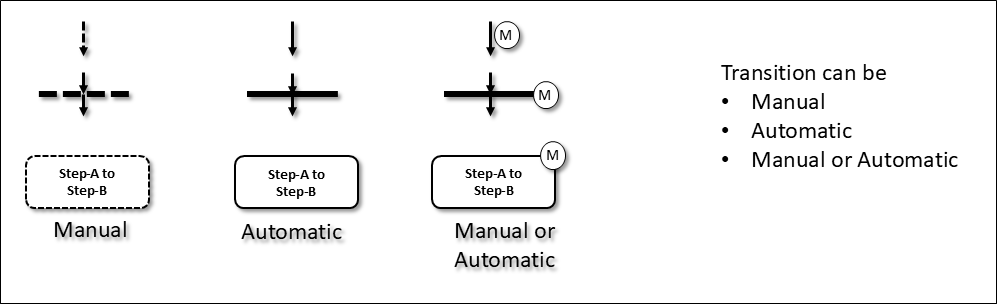
Figure B.10 – Examples of Transition Modes
This diagram shows:
- Multiple steps
- Various transition types
- Automatic transitions (solid lines)
- Manual transitions (dotted lines)
- Combined transitions (solid + M)
Real procedure example:
- Heat → Automatic transition → Check Temperature
- Check Temperature → Manual transition (operator decides) → Establish Reflux
- Establish Reflux → Automatic/Manual transition → Normal Operation
Flexibility in automation level!
B.6.4 Recommended Backward and Forward Transitions
There are three ways transition may be drawn:
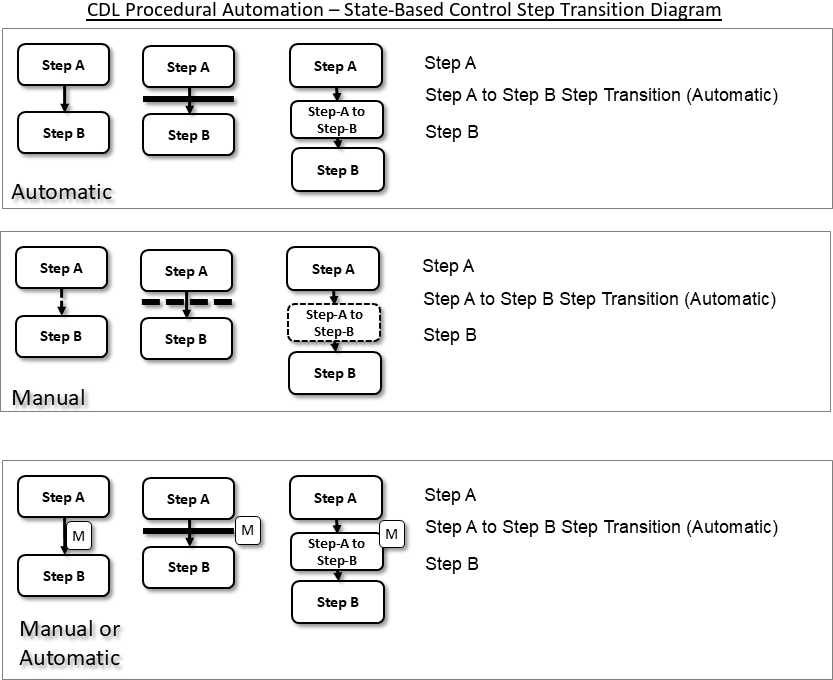
Figure B.11 – Recommended Backward and Forward Transitions
Normal:
Main steps drawn in sequential path in center of drawing.
Forward:
Transition not following normal path and being forward to another step below this step.
- Skipping ahead
- Fast path
- Exception handling
Backward:
Transition not following normal path and being forward to another step above this step.
- Loop back
- Retry
- Repeat step
Example uses:
Forward transition:
- Skip startup step if already hot
- Emergency path
- Fast track
Backward transition:
- Retry failed step
- Wait for condition
- Iterative process
Visual clarity:
- Normal = straight down
- Forward = curved down further
- Backward = curved up
Easy to see non-standard flow!
B.7 Step and Transition for Sequence-Based Control
In sequence-based control (similar to ISA-88 implementation):
There may be more than one step being active as shown below:
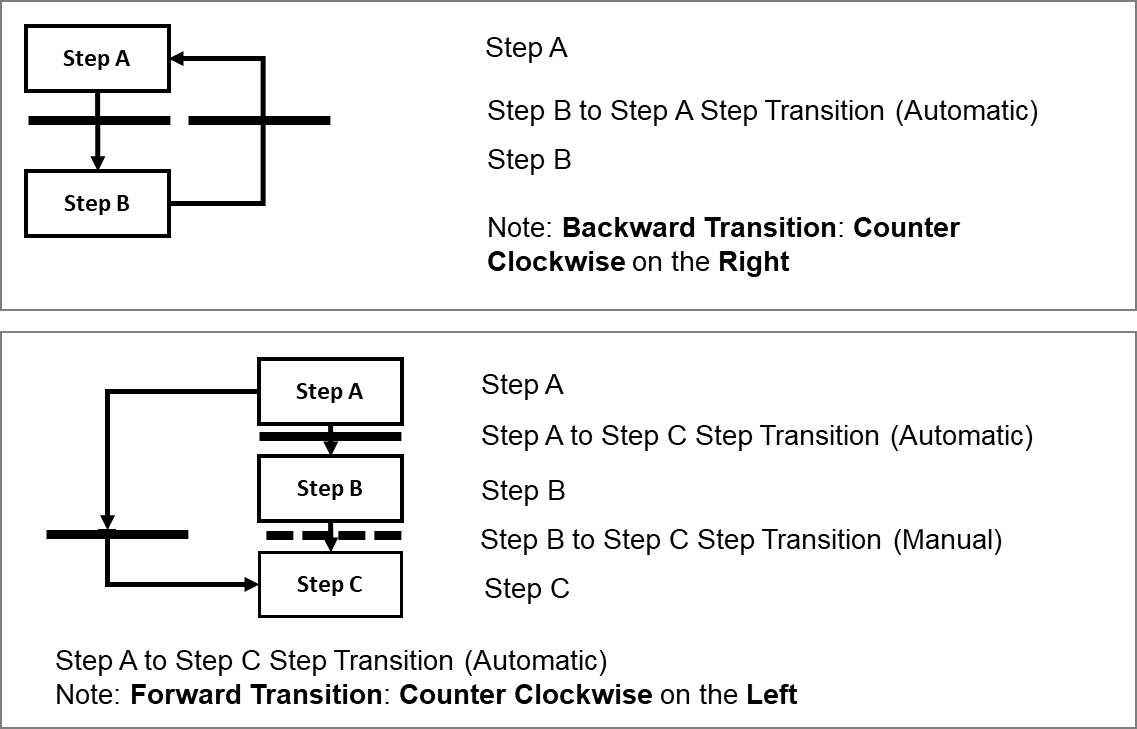
Figure B.12 – More than One Active Step in Sequence-Based Control
Key difference from State-Based:
State-Based Control:
- Only one step active at a time
- Serial execution
- One thing at a time
Sequence-Based Control:
- Multiple steps can be active simultaneously
- Parallel execution
- Multiple things at once
Example:
Parallel steps:
- Heat tower (Step 1)
- Fill buffer tank (Step 2) - SIMULTANEOUSLY
- Monitor alarms (Step 3) - SIMULTANEOUSLY
All three active at same time!
Synchronization points:
- Steps come back together
- Wait for all to complete
- Continue when all done
More complex but more flexible!